96 Camera Poses Visualization
Complete 360° camera movement across 4 elevations, 8 azimuths, and 3 distances
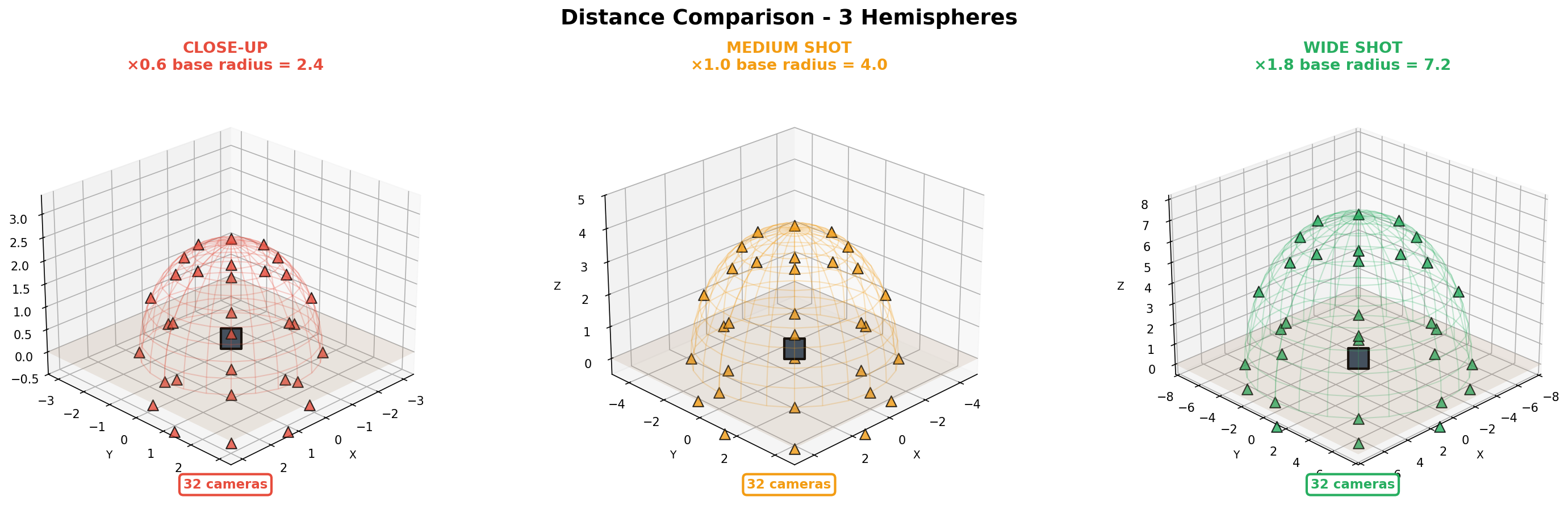
Side-by-side comparison of different camera distances and angles
Discover the technology behind AngleChanger.ai and learn how to transform your images with AI-powered camera angle control
Drag and drop any image or click to select. We support PNG, JPG, and WEBP formats up to 10MB.
Use the interactive 3D cube or sliders to set horizontal angle (0-360°), vertical angle (-90° to 90°), and zoom level.
Choose from SD, HD, Full HD, or 2K output quality. Auto mode selects the best resolution for your image.
Click "Change Pose" and wait 5-10 seconds. Your transformed image will be ready to download!
AngleChanger.ai uses a state-of-the-art AI model trained on 3000+ Gaussian Splatting renders with 96 unique camera poses. Our model provides unprecedented control over camera angles, enabling you to transform any image with photorealistic results.
4 elevations × 8 azimuths × 3 distances for complete 360° coverage
Massive dataset ensures maximum precision and realistic results
High-quality 3D-consistent renders for photorealistic transformations
Proper low-angle (-30°) camera control for dramatic perspectives
More iterations and quality checks than standard models
Model available on Hugging Face for transparency and research
Complete 360° camera movement across 4 elevations, 8 azimuths, and 3 distances
Side-by-side comparison of different camera distances and angles